Categories
Assignment 5

Assignment #5

Though initially frustrating to use and maneuver, as became more familiar with Gephi and its functions, I actually grew to like it more as well. I was chiefly concerned about the lack of an “undo” button – a button that I have come to realize I ordinarily rely heavily upon. The moment I reframed this in my mind from a bad thing to a good thing was the moment I began having fun with Gephi, in the sense that every click of every button was done with intent rather than simple exploration of the program.

With this, I knew that whatever data set I chose, it had to be something I was comfortable with – I wanted to make sure that I knew exactly what it was that I was exploring. As we looked in class at examples of social networks, dialogue between characters in Les Mis, and other datasets I browsed on my own, I discovered that I was actually really fascinated with network visualizations. When initially clicking through premade datasets, I tested the effects of pressing buttons like “filter” and seeing how it would impact the visualization. As I became more familiar with Gephi, though, I knew what questions I could ask that Gephi would be able to answer. I would be able to look at the visualization of the Marvel Cinematic Universe, for instance, and know how many times Iron Man interacted with Thor.

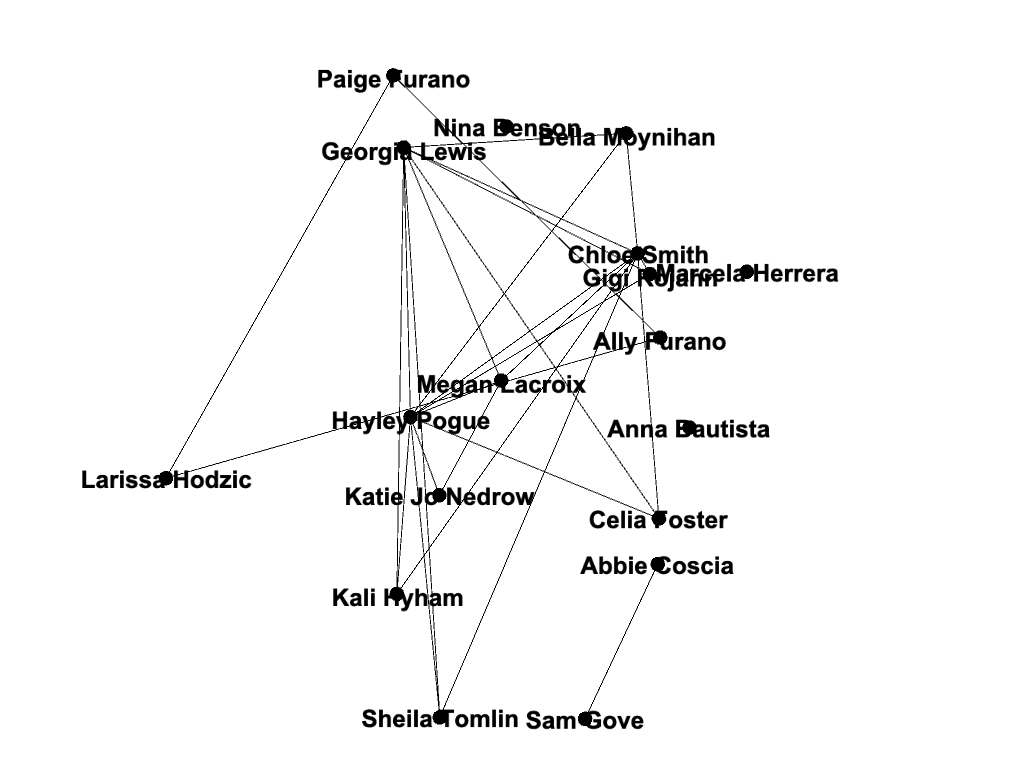
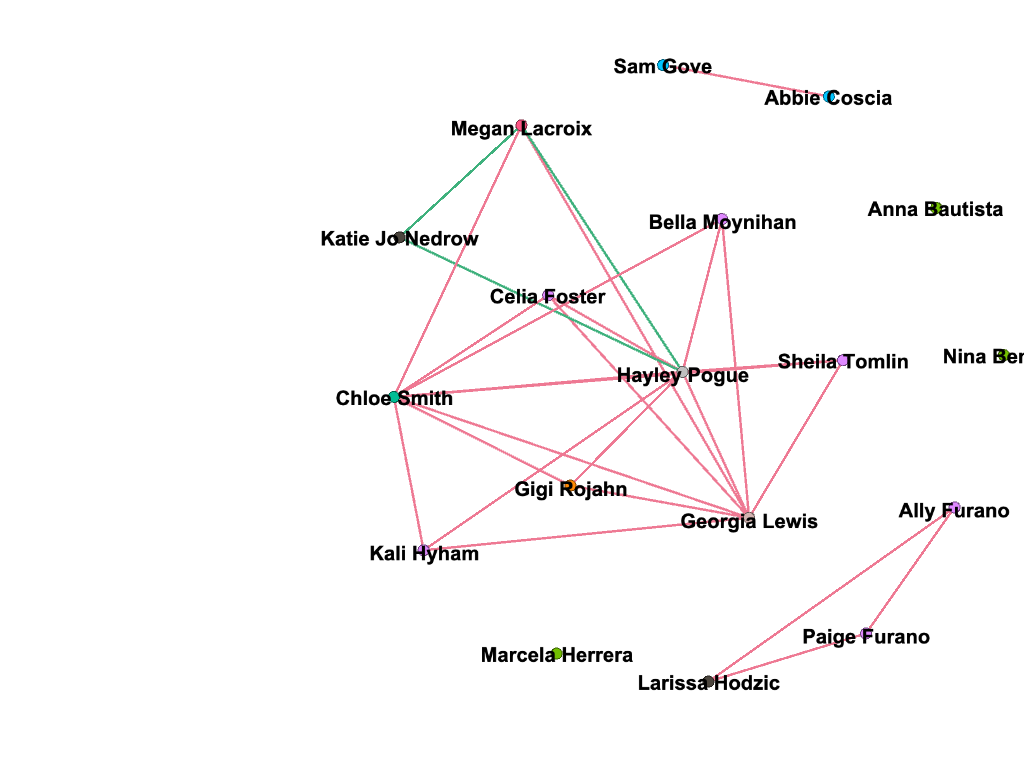
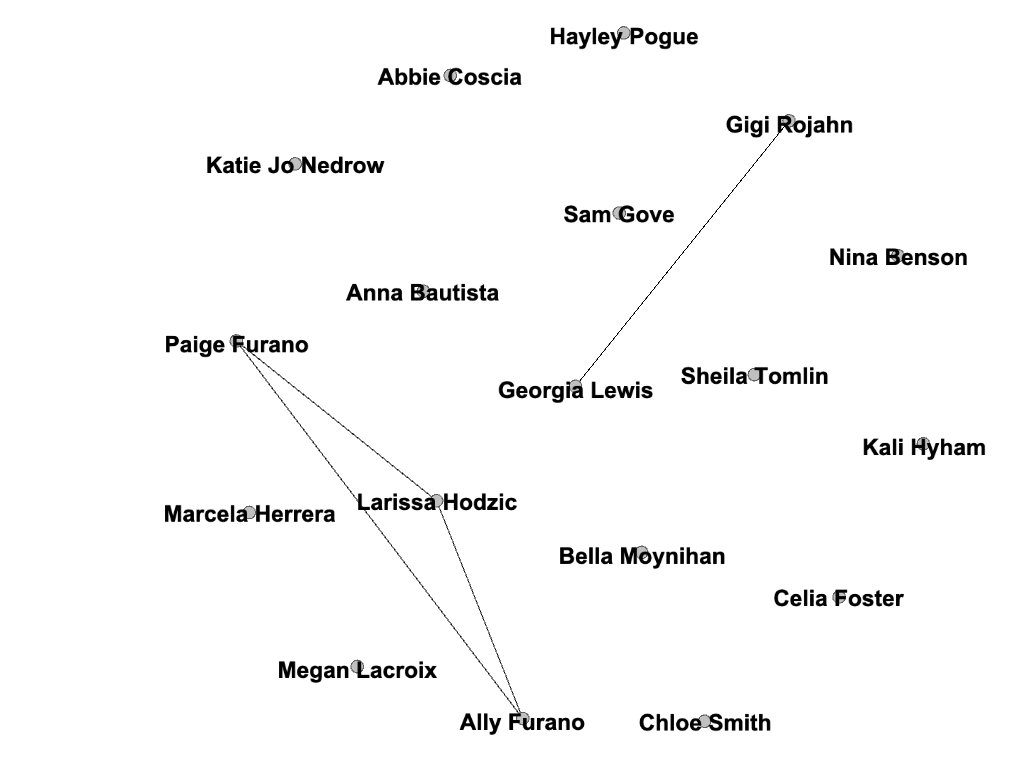
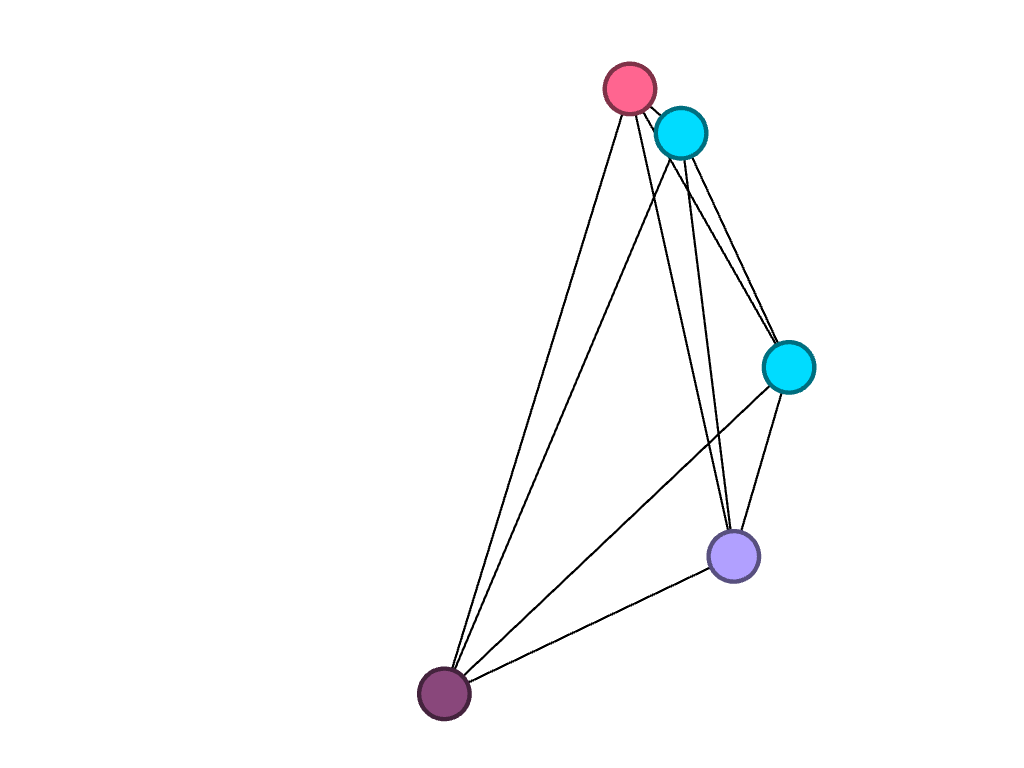
For my visualization, I chose to do an “exploratory data analysis . . . based around the idea that the network is important, but in as-yet unknown ways” by inputting my own data from my water polo team roster (Graham). I wanted to look at connections between my teammates based off of their home state, which club team they played for in high school, and whether or not they are in the College of Management at Bucknell. These connections are complex in that their variables are “highly interconnected and interdependent,” which are integral components of network visualizations (Lima).
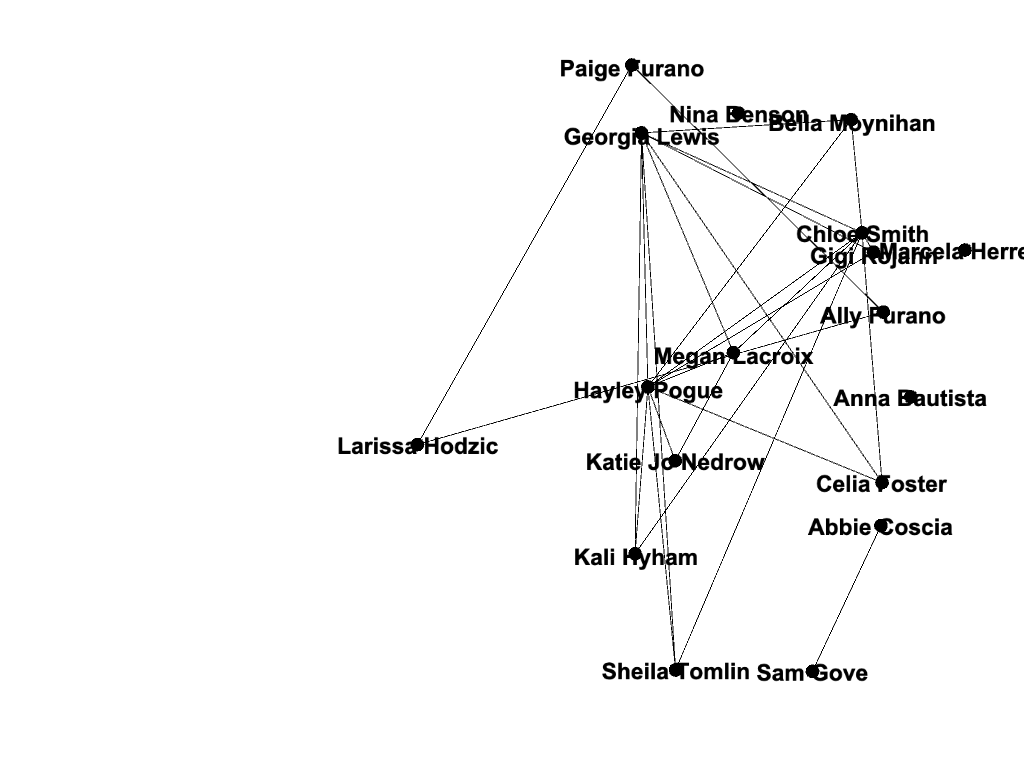
As demonstrated by the network, many of my teammates are from California; this shared quality is the most prevalent commonality within the parameters of my network. This makes sense because water polo is a sport that, in the United States, is most popular on the west coast (likely due to the warmer weather and outdoor pools). If we had a team comprised of international students (which isn’t uncommon for water polo teams), my prediction is that the visualization representing club teams would be much more connected. In countries like Serbia, where water polo is a very popular sport, there are only a few club teams, and even fewer that play at a high enough level to pique the interest of US college coaches.

I also found it interesting that only three of us are in the College of Management. Most of my other teammates are in the College of Arts and Sciences, though their majors range anywhere from biology to international relations.

Unsurprisingly, two individuals in particular had a lot in common: Ally and Paige Furano, a junior and a sophomore, respectively. They are sisters and have played water polo together since the very beginning. Larissa Hodzic played for the same club team as them in high school, so these connections existed before they even entered Bucknell as freshmen. It would be interesting to add the men’s roster to my visualizations to see how our teams have crossed paths throughout the years.

I chose a random or “stochastic” layout, which is possible and legible using my data but “becomes more difficult to read as a network grows” (Graham). I used the stochastic layout because I thought it was unique; though my team functions as a unit, the network allows me to see how – at least at a very basic level – many of us are also different, some of us being so different that we aren’t even connected to others within the visualization! People who are otherwise key players on the team may not be central to the visualization; I think that this is interesting because it acknowledges the power that the creator of the visualization has and the bias that he or she may inadvertently have over the network’s structure. This network would look very different if I had chosen different parameters, but I didn’t – and that is the power of the creator. The importance of the network is that it demonstrates facets “such as decentralization, emergence, mutability, nonlinearity, and ultimately, diversity,” and yet it is critical that viewers are aware of the potential for information bias, even within this context. Overall, Gephi has been a very useful tool for me in illustrating the importance of looking at visualizations critically, and to take everything with a grain of salt. I would be interested to know how connected my team would be if I took more random variables into consideration.
Categories
Assignment 5 Uncategorized

Assignment 5

Building networks is a complicated process, requiring much analytical thinking and an understanding of multidimensional data. Using programs like Gephi allows for a parsing of complex relationships between this data. I happened to work with Gephi briefly during my foundation seminar of freshman year, but not nearly as in depth as we are now. Initially, working with Gephi in this class was intimidating, as there was so much to learn and it doesn’t seem as user friendly as the previous platforms we have worked with.  However, after spending a few days playing with the program and finding new things, I’ve found that Gephi’s many benefits allow for a powerful visualization. I decided to build my own dataset on demographics of the Bucknell Women’s Cross Country team, with the intent of discovering and analyzing the different majors being studied by the women of all four class years as well as finding any trends that there may be within the data. I began the process by sending out a survey to collect the information before creating the CSV file containing the data.  At first glance, I immediately noticed biochemistry to be a frequent major. This was exciting for me, as I was interested in how Gephi would work to display this common theme across team members.   

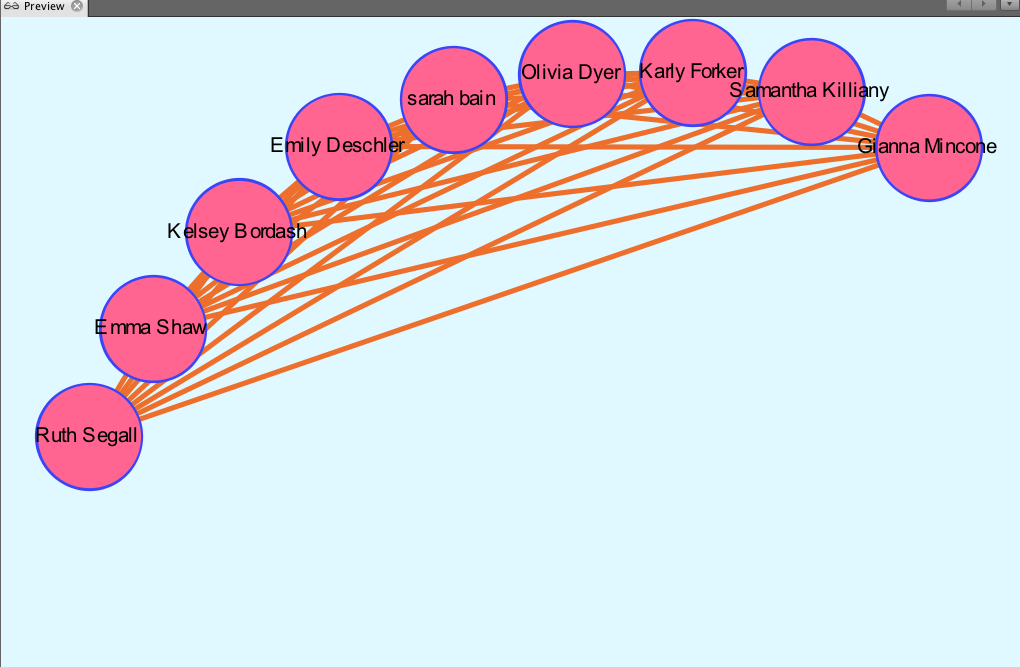
Due to Gephi only allowing for a mapping of relationships between the same types of nodes, the process of portraying what I would like the viewers to understand has been particularly difficult for me. When discussing the purpose of nodes and edges, Graham says,  “Everything about a network pivots on these two building blocks” (Graham, 202). In networks, nodes can be further defined by attribute rather than seen as just dots. Each individual node is representative of each team member, and the edges refer to the undirected  relationships between them. Because the connections I chose to make between people (major) have no beginning or end, the relationships can be considered as “rhizomatic relationships” (Lima 44). Rhizomes acknowledge multiplicity in data. They “connect any point to another in  a way that allows for a flexible network to emerge” (Lima 44). Gephi was able to create a flexible network that could I could parse further to produce the relationships I portrayed. I filtered by degree and got an average degree of 28.8, representing the number of edges adjacent to each node.

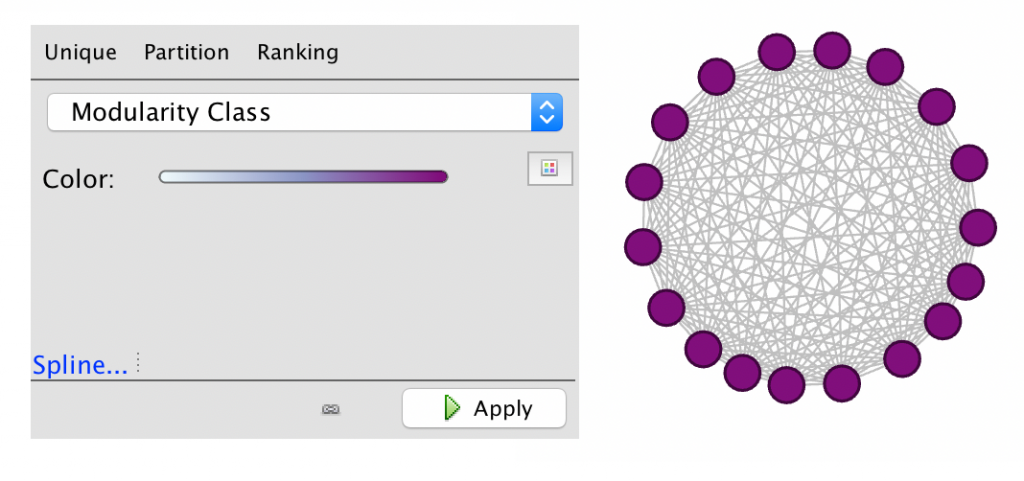
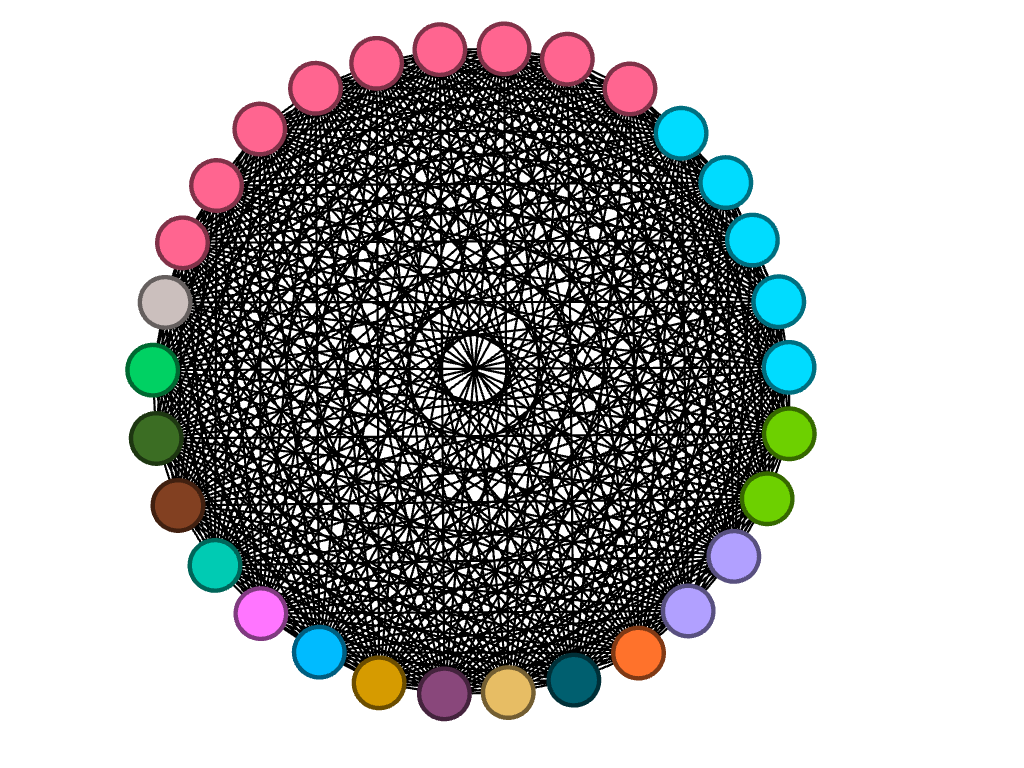
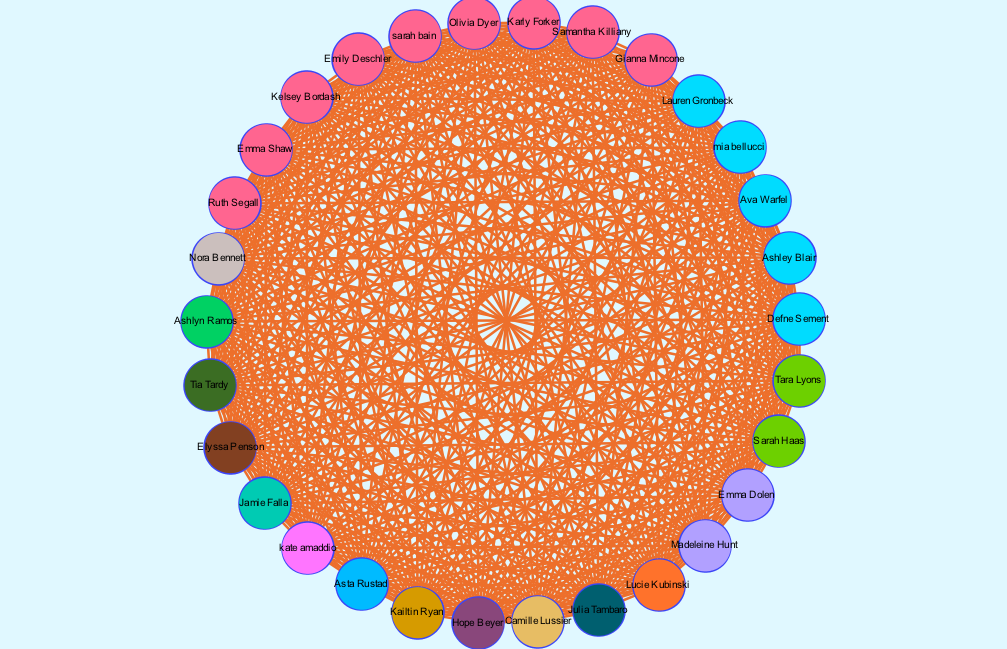
There is no modularity in my data set, as all team members were already connected due to being a part of the same team. In a way, the team is it’s own “small world.” Each member (node) is interconnected with one another through an edge, simply because  they are apart of the same “world.” When choosing which layout to apply, I began by using the circular layout due to it being simple and easy to understand visually. Graham states, “It is easy to become hypnotized by the complexity of a network, to succumb to the desire of connecting everything and, in doing so, learning nothing” (Graham 201). Therefore, I knew that I wanted my network visualization to be as simple as possible. Nodes are colored based on major. The edges occupying the rest of the visualization are the connections between each member of the team.  I then reconstructed the original layout by dragging nodes of the same major and placing them alongside each other to allow for an easier visual of the frequency of each. My network formed the following: 

overview mode
preview mode

It is clear from this overview that there is a dominant major among team members, which happens to be biochemistry. I can’t infer any reasoning behind this through my data set, but I thought that it was an interesting trend that I knew I wanted to look more closely at. I have learned that because there are no arrows connected to the edges between nodes, the relationships between each node are equally significant, having no direction in the relationships. 

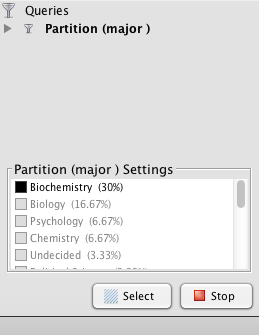
So that the user can add to the depth of their network, the program allows for a search of metrics that provides more insight into the overall network. I chose to first partition by major which allowed me to visualize how many people belong to each major category. Those who shared the same major had more connections to each other than to those of different majors. Because I chose to look into the frequency of the biochemistry major throughout the team, below is the visualization displaying the nodes directly linked to each other through the biochemistry “edge.” Filtering my data through partitioning by major allowed me to create the following: 

partition filter

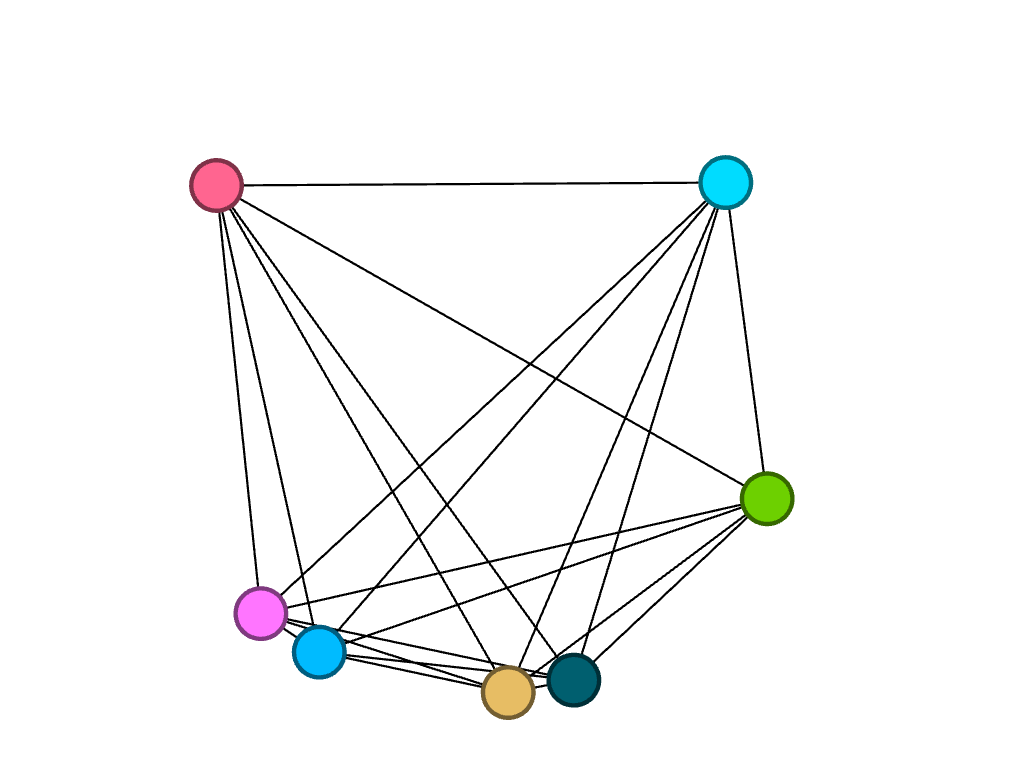
I then decided to partition by class year to look at what majors were studied by girls of different years, in particular, biochemistry. Because the nodes are all different colors, I found that of the seven freshmen, no majors were shared:

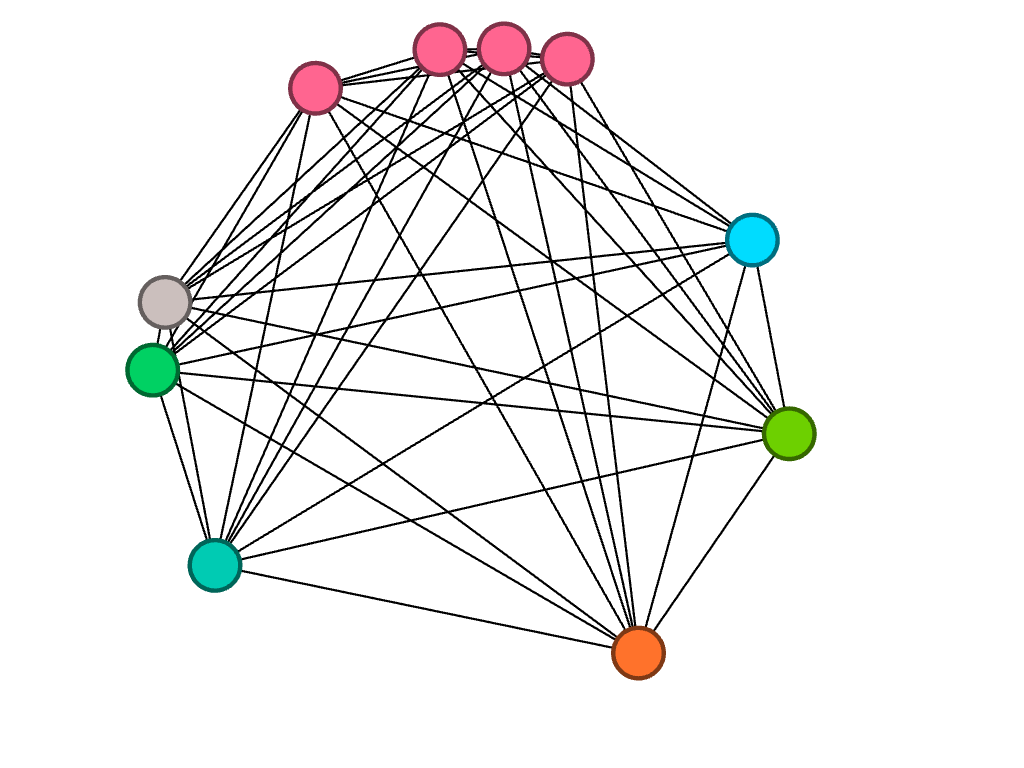
Of the ten sophomores, biochemistry was a common major between four people, represented by the four pink nodes closely connected to each other.

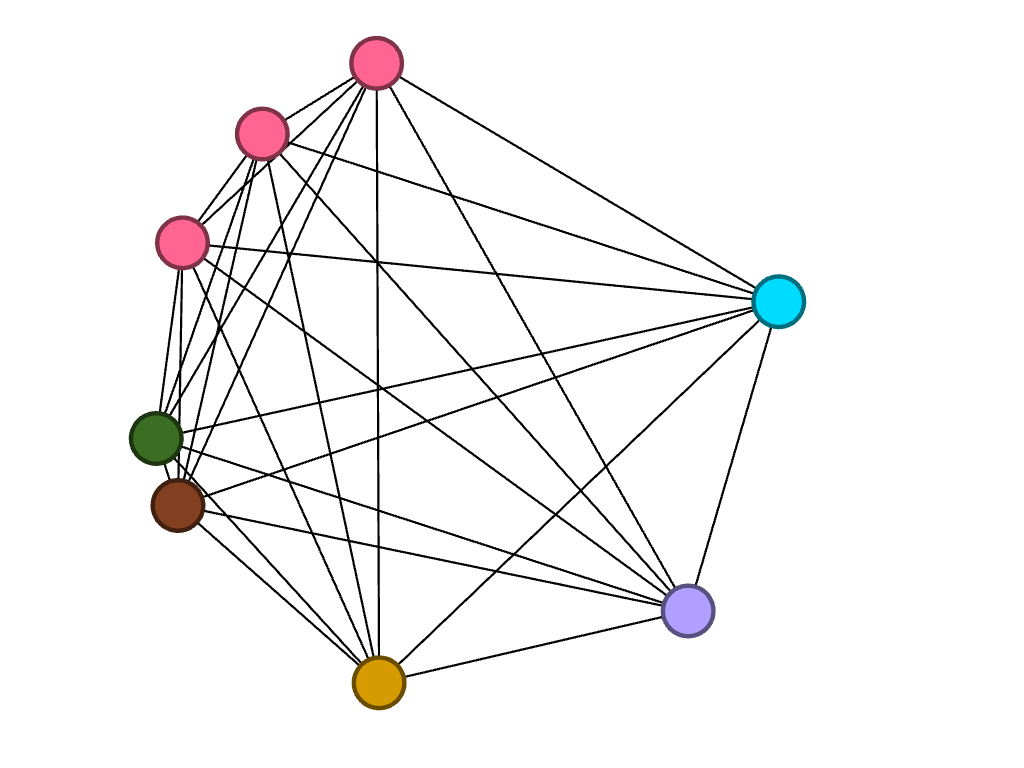
Of the eight juniors, three of them are studying biochemistry.

Lastly, of the five seniors, only one studies biochemistry. However, two of them study biology, which is represented by the connected blue nodes.

As Lima said, network visualization allows for the portrayal of “intangible structures that are invisible and undetectable to the human eye” (Lima 80). By filtering the data in the way that I did, I was able to visualize something that may not have been so obvious before.  Gephi allowed for me to explore the cross country team’s academic side, something that I don’t consider very often. I liked discovering that biochemistry seems to be a subject of interest among my teammates, despite not knowing of a correlation behind reasoning.

Categories
Assignment 5

Lippincott Assignment 5

I had a completely different experience using and learning Gephi for this assignment than when learning other platforms. I found the platform harder to navigate than others as it is not as “user friendly.” I had to work with my data a lot more when using Gephi which forced me to prepare my information before plugging it into the platform. There was a lot of new technology I had to learn in order to use Gephi in which I am still not comfortable with. I was also tasked with the duty to understand how data operates on a higher level. With other programs we have used in class, we have been able to map differences between data; however, with Gephi, we can only showcase the connections or relationships between similar nodes. Although Gephi is limiting in some ways, and may be more time consuming, it also has many benefits exclusive to the platform. Gephi allows users to measure relationships by the metrics between them. Gephi also gives users the ability to visualize networks and understand how the information interacts with each other (between one another). Graphing networks of human interaction can help societies understand and analyze how people interact with one another. As a result, readers may better understand their relationships with individuals. Gephi allows users to filter their data into different kinds of metrics in order to provide a better understanding of the data being used to create the network.

I struggled with creating a question for what I wanted to visualize on Gephi but as I collected data started naturally asking: “I know why my friends are friends with me, but how do they know each other?” My goal in this project was to illustrate the relationships shared between my friends at Bucknell. I created connections between everyone and showed relationships between people based on five major relationships: major, college, sorority, roommates from freshman year, and roommates from this year. There is no modularity in my data set as there was an existing connection between everyone already. Every girl is their own node, and every girl is connected to one another as we all have preexisting friendships. It is important understand that a node is simply an person or single thing and edges refer to the relationships between nodes. Graham shares: “everything about a network pivots on these two building blocks,” (Graham 202) referring to nodes and edges. It is also important to analyze networks carefully as “it is easy to become hypnotized by the complexity of a network, to succumb to the desire of connecting everything and, in so doing, learning nothing” (Graham 201). My network of friends originally appeared like so:

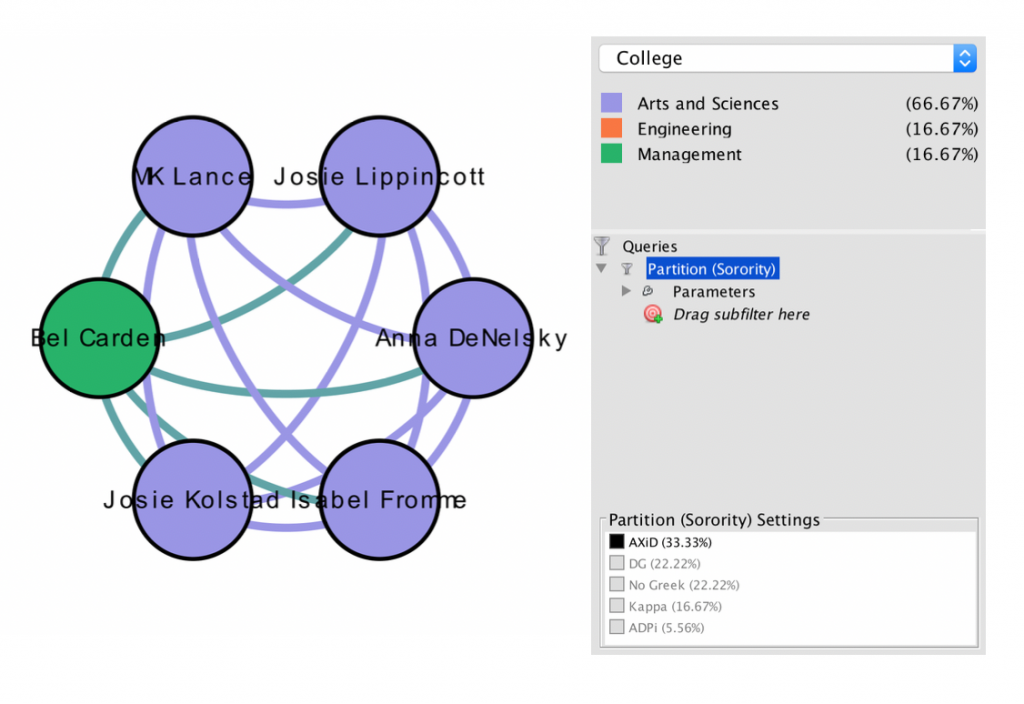
The color of the nodes are all the same as there is no difference in modularity (explained above). Following the advice of Graham, I then filtered my data to showcase what college, girls in my sorority, were in. I wanted to explore my data in many ways so when I limited a lot of the data I inputed I was able to visualize that most of my friends in my sorority are in the college of Arts and Sciences with me. With this data supporting my claim, I would assume the girls who are in my sorority were previously friends due to classes shared in the Arts and Colleges school:

When looking at this visualization the reader can understand that only 33.33% of my friends are in Alpha Xi Delta with me; however, it is easy to see that most of the girls in the college of Arts and Sciences are also in Alpha Xi Delta.

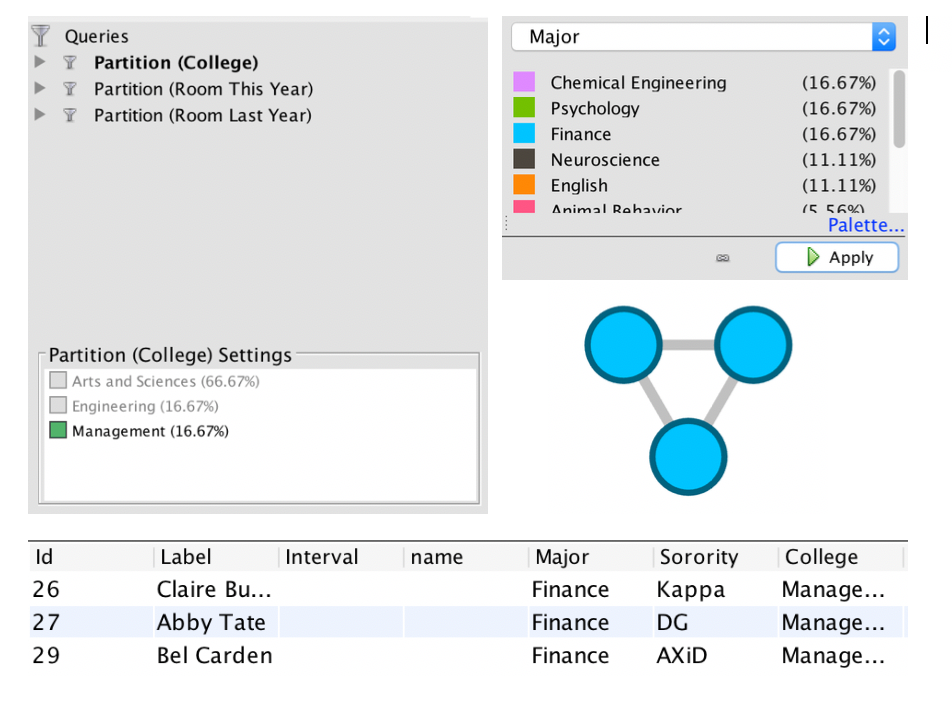
I next visualized the relationships between my friends in the college of Management. Surprisingly enough, all of three of them were Finance majors. I enjoyed visualizing this as I was able to build upon a past project I did in Palladio. I am fascinated by the amount of women pursuing, what used to be, predominately male career fields and found it amusing that my friends were following that career path, as opposed to more female aligned majors in the college (such as MIDE). I could draw a connection between these girls as they are in the same college and the same major:

By filtering the data in this way I was able to visualize “intangible structures that are invisible and undetectable to the human eye” (Lima 80). For example, in the visualization above, I was able to draw a relationship between 3 people that existed in 2 different ways. If I told the reader of this connection without filtering my data, and changing my visualization, it would not be easy to understand.

Gephi allowed me to explore the relationships between friends who surround me on Bucknell’s small campus. I learned that the relationship between nodes matters as well as the edges that connect them. There were not arrows on any of the edges as the relationships were equally significant to both nodes, there was no direction of relationship. Lima writes of a “rhizomatic relationship,” a visualization in which the reader does not know beginning or end (Lima 44). The relationships are patterns between people and I chose to visualize them in a circle as it is easy to understand and shows that it is a continuous loop of relationships, the visualization does not stop anywhere. By using Gephi I was able to see patterns and relationships I may not have noticed within my friends.

Categories
Assignment 5

Assignment 5

When we break down our day to day life, we are constantly networking. Whether it be adding someone on LinkedIn, friending someone on Facebook, following someone on Instagram, or even texting a friend of a friend who had your professor in the past. Who ever it may be, it is hard for us to go an hour without networking. Over the summer, the most frequent piece of advice I was given was to network. Whether I was introducing myself to a Bucknell alumni, an employee from Darien, or my older sister’s best friend’s ex boyfriend, I was constantly establishing connections with people. Some relationships I was more invested in than others. For example, I placed more weight on my relationship with my boss than I did with a Bucknell graduate working in a different department. However, if you were to look at my boss’s network, I am sure the weight placed on the connection that bounds us together is a lot less for him. Recognizing this, we understand that a network “we need to be extremely careful when analyzing networks not to read power relationships into data that may simply be imbalanced” (Graham, 197). Further, it is important to understand that when we consider a network, “it is easy to become hypnotized by the complexity of a network, to succumb to the desire of connecting everything and, in so doing, learning nothing” (Graham, 201).

Due to our tendency to hyper-analyze networks, it is important to build one with with a research question in mind. Essentially, this question will “act as your yardstick to measure effective outcomes” (PPT). With this in mind, I dove into the dataset of Diseasomes, which is a complied spreadsheet of diseases and genes, with an exploration question that resognated with me personally. 

I first noticed the signs in 2014. It was that summer that Alzheimer’s entered my life and infected my grandmother. Alzheimer’s is a progressive disorder that causes brain cells to waste away degenerate and die. As of now, there is no cure. Since 2014, my mother has exposed us to a new lifestyle in which we have become a lot more conscious about the way we treat our bodies. I am conscious about what I eat, what I drink, how much I work out, how much I sleep, and what I put in my body in general in regards to vitamins, medicines, pain killers (Advil), etc. Although known as a neurological disease, I’ve seen my grandma lose a significant amount of mobility in her legs, hands and mouth. These symptoms are not notorious ones within Alzheimers patients. Using the Diseasome dataset and Gephi’s platform, I want to interpret genes, diseases, and specifically, Alzehimer’s, further. 

The purpose of my analysis is to uncover whether neurological diseases are intertwined with a specific gene that might trigger loss of mobility. This might explain why my grandmother, and possibly other patients, are experiencing symptoms that do not align to Alzheimer’s. I am looking for a “general trend” within the network of neurological diseases and specific genes (Graham, 198).  

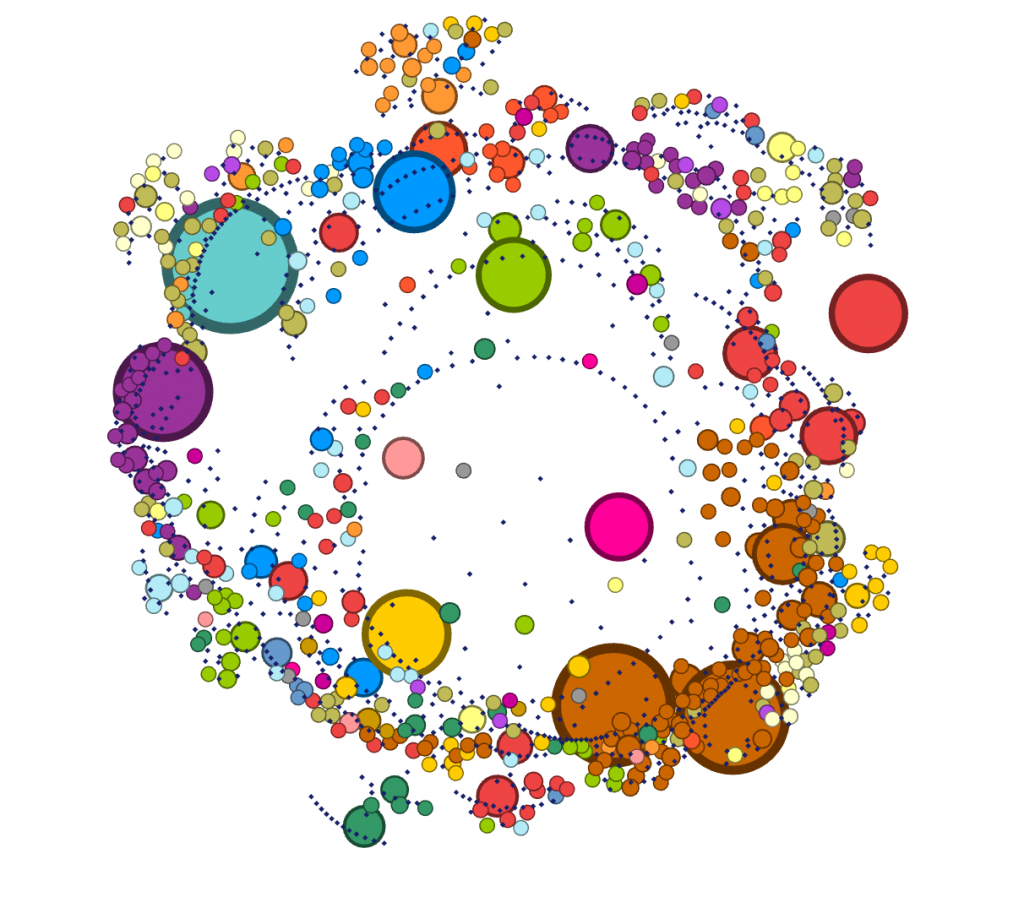
I originally looked at the data unfiltered and without edges. I looked only at the nodes of all diseases and genes included in the study. It is important to note that a node is simply an entity and edges refer to the relationships between edges and nodes. Essentially “everything about a network pivots on these two building blocks” (Graham, 202). I wanted to get the big picture and be able to visualize both classes of disease and gene at the same time knowing that mutations in genes influence the oncoming of diseases.

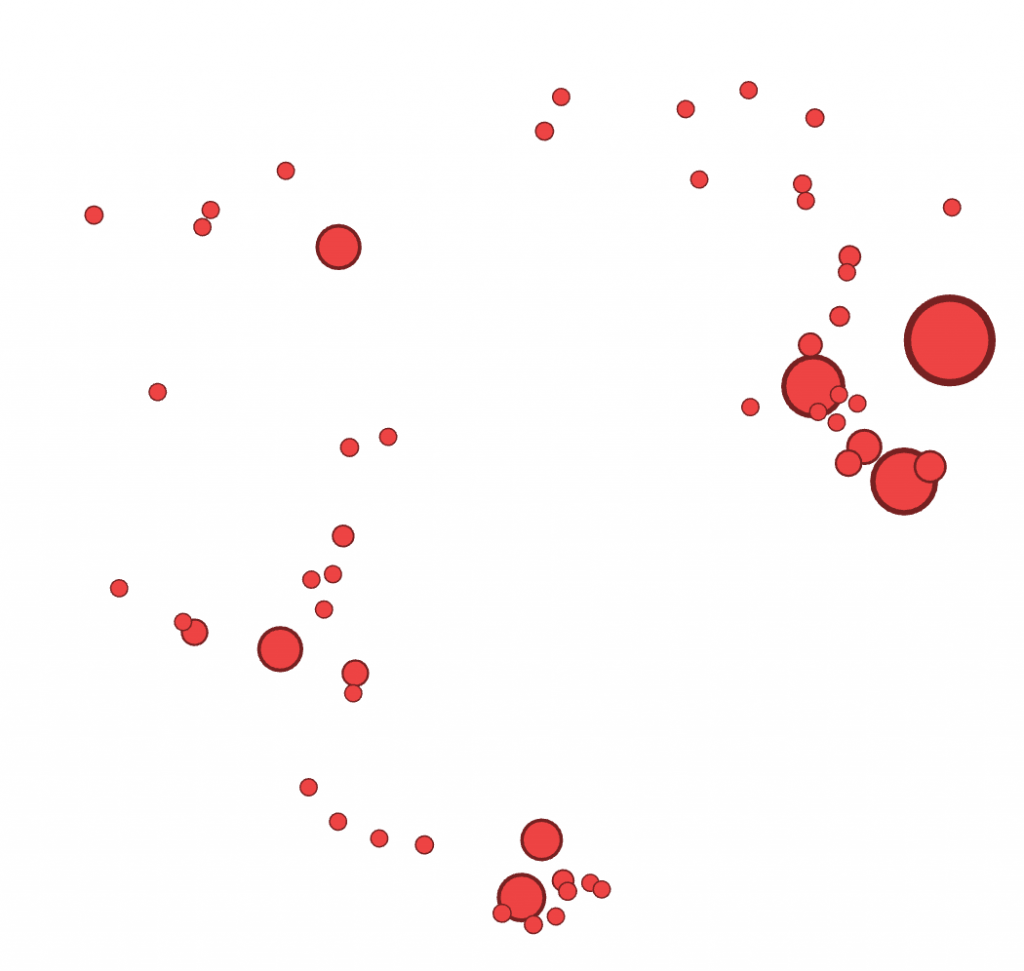
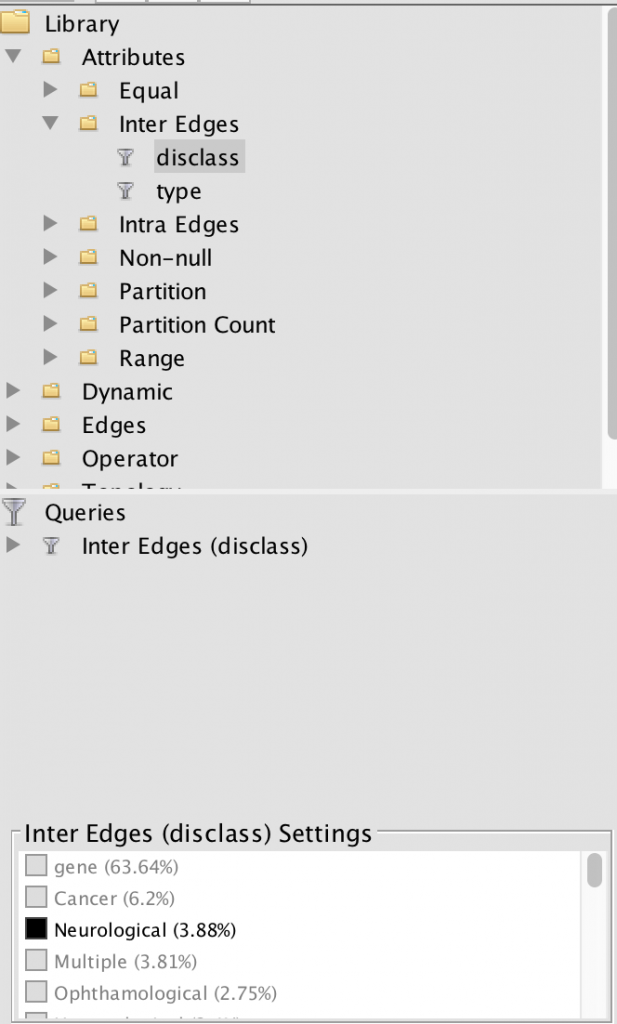
I, then, filtered the nodes to only show neurological diseases. Using this filter process, I am able to see how much of the data is a neurological disease. Approximately 3.88% of the data collected was on neurological diseases, some of that data being Alzheimer’s.

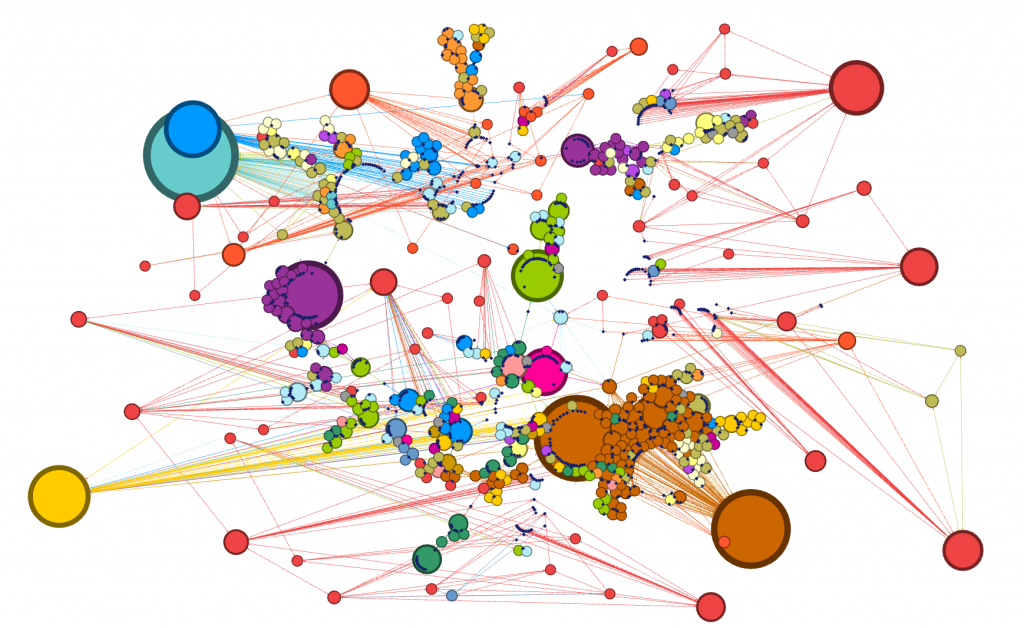
For such a large dataset, such a small amount of the data is focused on neurological diseases. I continued filtered the data to show inter edges within the neurological diseases world. Inter- means between or among groups, therefore connections will be shown between diseases and genes. My decision to filter the data by inter edge using neurological disease as the parameter was because I wanted to be able to visualize the relationships between neurological diseases and genes included in the study. This tool is an exceptional one because I was able to visualize “intangible structures that are invisible and undetectable to the human eye”, for example, all the many genes that a mere imbalance of can result in a neurological disease (Lima, 80).

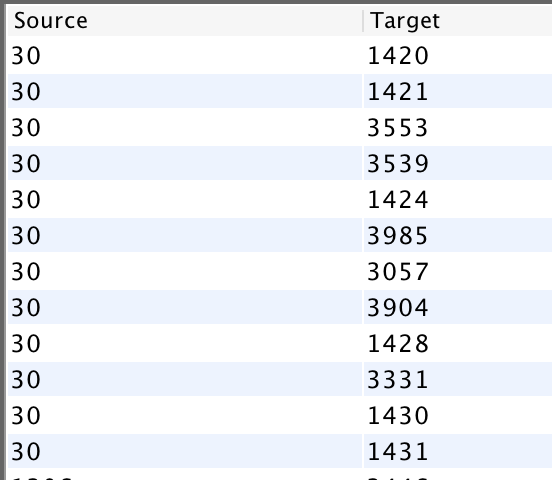
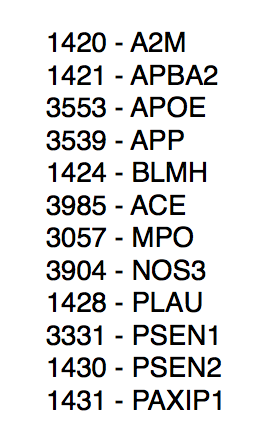
I then proceeded to analyze the dataset further in the Data Library. I saw that not all the connections that appeared within the inter-edge visualization were not red, meaning some of the diseases had ties to other genes – possibly one related to motorized skills one that would explain the situation going on with my grandma. In the Data Library, I again filtered the data to show inter edges. I knew that the ID number of Alzheimers in this dataset was 30. I filtered the Source to be ID: 30, and waited for the Target numbers to appear. I ended up with this list of genes that shared a relationship with Alzheimers. One set back I faced was I then had to take the ID numbers of the targets and look up their gene name on the master dataset. However, once I did this, I looked each of them up to see if any had a relationship to Alzheimers or other diseases that experience these symptoms.

Source: 30 (Alzheimer’s) and Target ID # of the associated genes
Gene ID # and name of Gene

In the end, I found that the gene MPO is a key enzyme in inflammatory and degenerative processes. Many Alzheimer’s and Parkinson’s disease patients have increased levels of MPO protein. MPO causes motor cortex disabilities, meaning the part of the brain that initiates voluntary muscular activity is affected. 

There is no scientific backing to the conclusion I came to, however, it does provide some reassurance to me that what my grandma is experiencing is in fact a part of her disease. The network I built on Gephi led me to uncover and then research a total of 12 genes and their relationship to Alzheimers that I wouldn’t have otherwise. 

Categories
Assignment 5

Assignment #5

Learning Gephi was a very different experience for me than my experience learning the other platforms that we worked on this semester. I felt that I had to do a lot more preparation before using the platform. Not only was there a lot of new terminologies I had to become accustomed to, but how Gephi operates and the data it uses/analyzes is very different from anything I have previously worked with. Unlike Palladio, for example, that allows users to graph two different categories, Gephi only allows users to map relationships between the same types of nodes. This was a concept I had a lot of trouble grasping initially, but I learned the benefits of Gephi rather quickly. Gephi allowed me to measure different relationships and the metrics between the relationships, which is something that I was not able to do on platforms that we previously worked on. Furthermore, Gephi allowed me to look at networks, sets of points joined together by lines in an aesthetically pleasing way, and discover how information can be passed between two people or two entities. Through my preliminary research, I discovered that graphing networks of people helps us, as a society, analyze how people interact with one another, which ultimately helps us understand the behavior of a particular individual. Gephi allowed me to search for different kinds of metrics that will provide more insight into the networks I created. The hardest part for me with Gephi was getting started because I had trouble coming up with what I wanted to show and how I wanted to show it using the data on the Mary from the African Slaves Database. I wanted to illustrate the routes the Mary and the slaves that were on the Mary took. I had to decide what constitutes a connection (what is an edge) which I eventually chose would be the relationship between the place where the slave was purchased and the place the slave landed. 

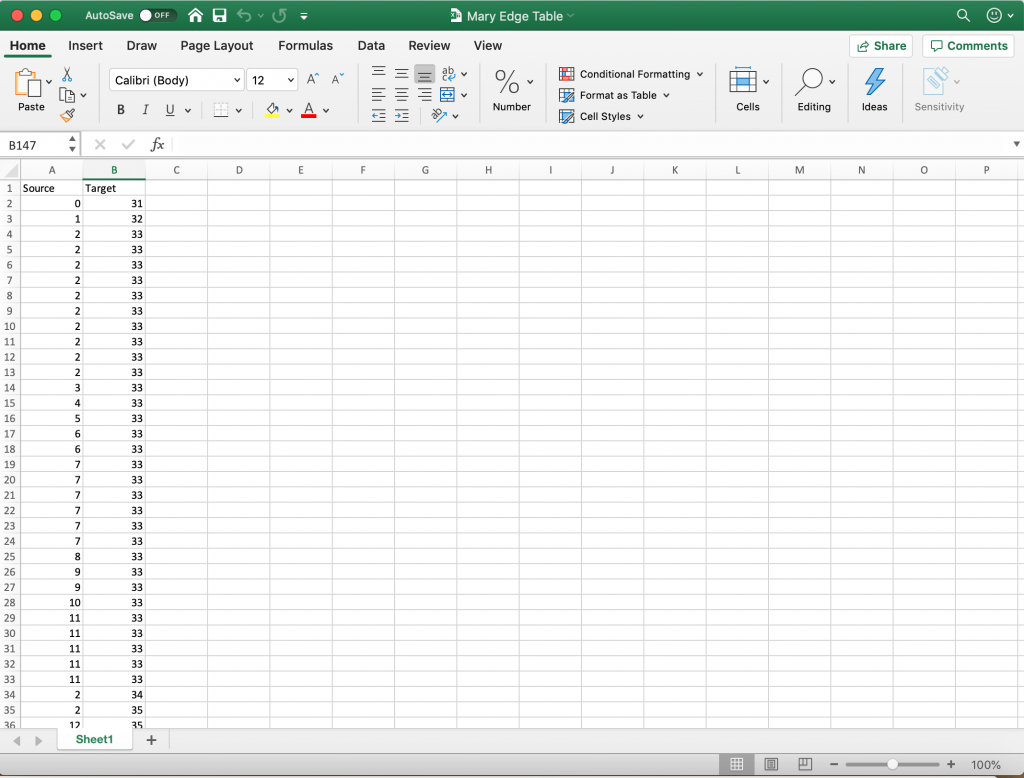
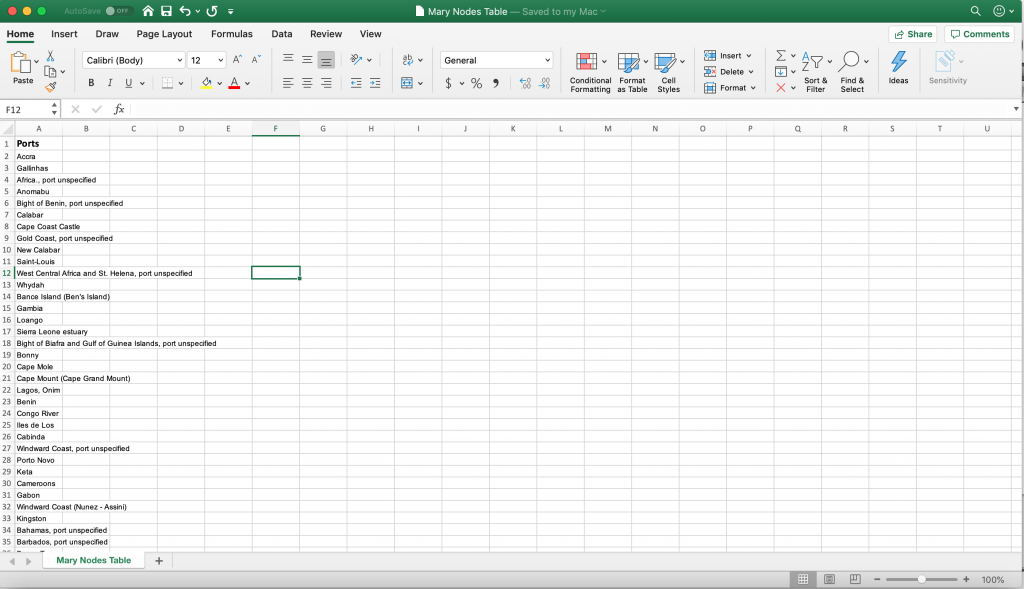
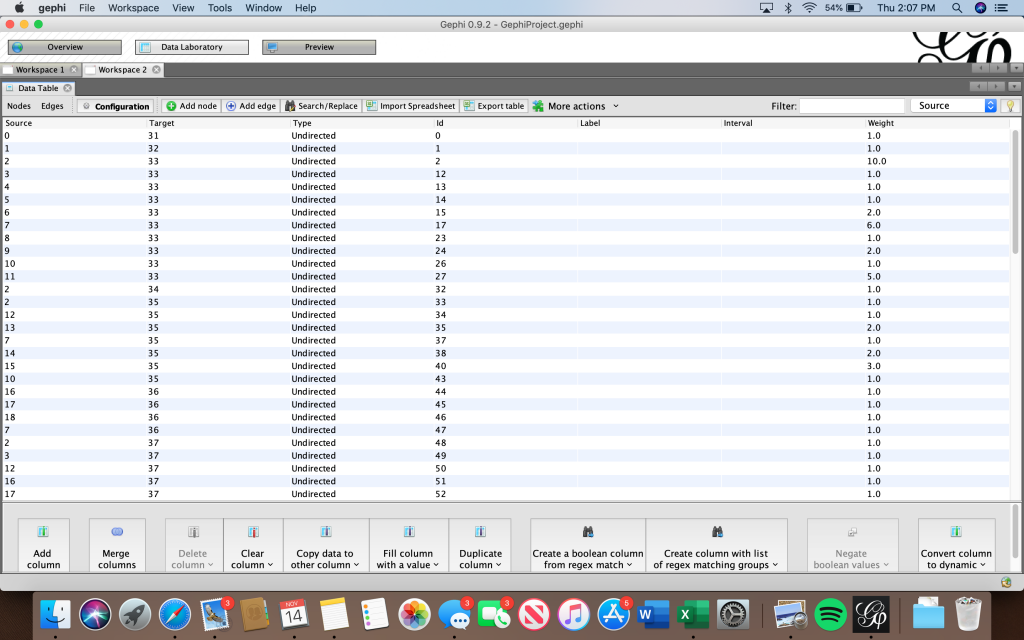
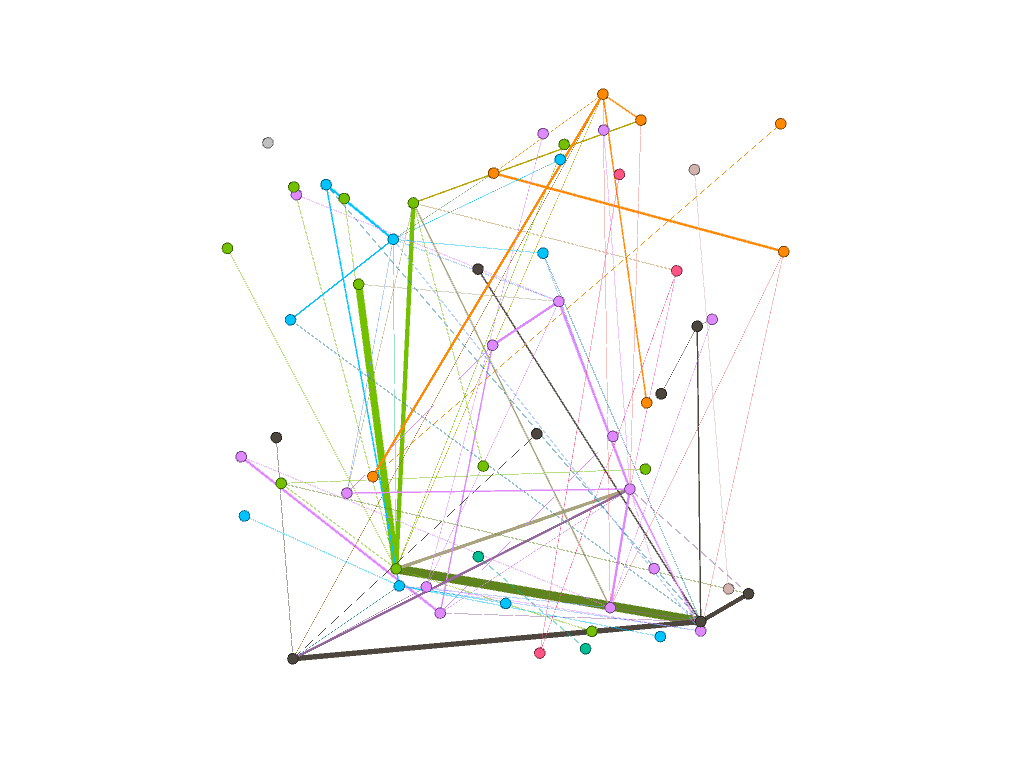
Finally, I decided to make all of the places nodes. I created a nodes table in excel consisting of all of the ports where slaves were purchased and where slaves landed. I removed any duplicate locations and then saved the file as a csv. I then imported that csv file into Gephi which generated an id number for each of the locations. After that, I went back to the original African Slaves Database and looked at each individual voyage that the Mary took paying particular attention to the port where slaves were purchased and the port where slaves landed. I used the id numbers from Gephi to illustrate each voyage by creating an edge table in Excel. I put each port (using the id number) where slaves were purchased in the “source” column and put the port where the slaves landed into the corresponding “target” column. If the Mary visited the same two ports on different voyages, I would put them in as separate entries. By doing this, I weighed the edges to illustrate the number of slaves that took a specific route. As described by Graham, “weight is a numeric value quantifying the strength of a connection between two nodes” (Graham 206). As evident by the visualizations I created, the thicker edges have more slaves going from the same place of purchase to the same landing place (more closely connected).

Edge Table
Node Table

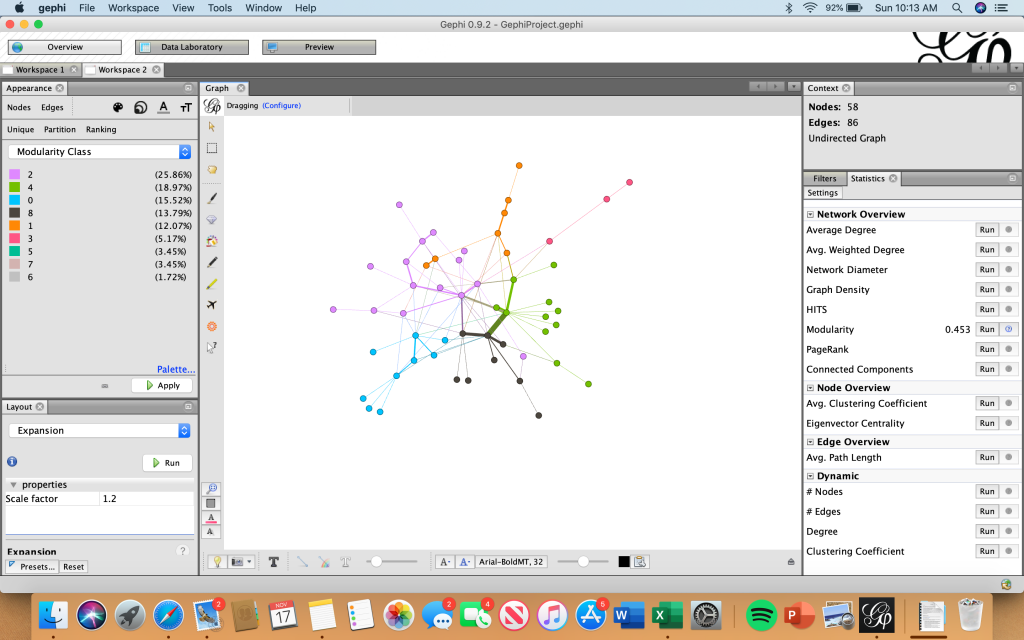
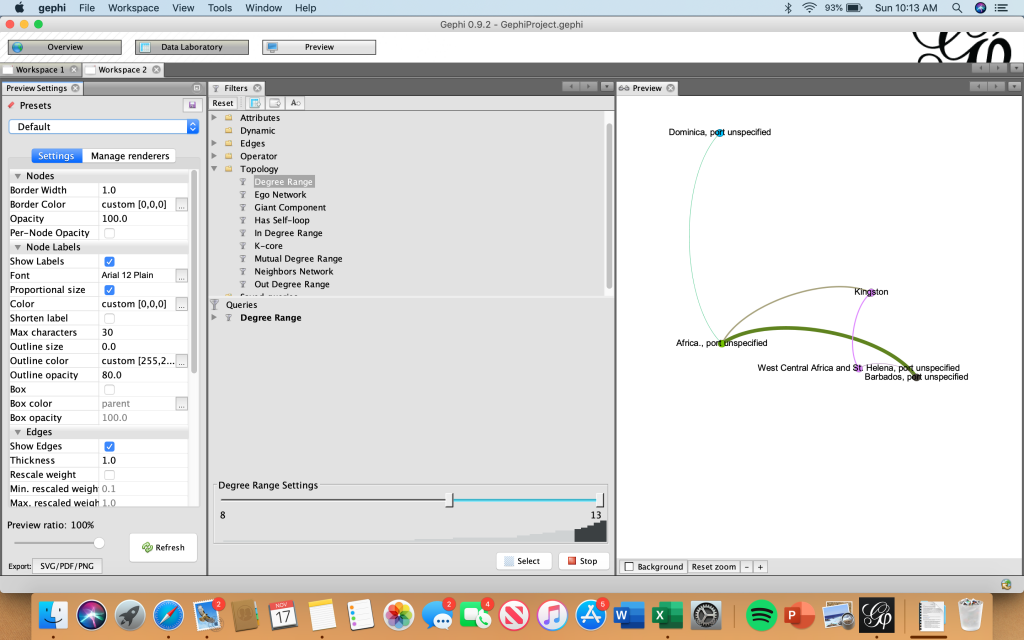
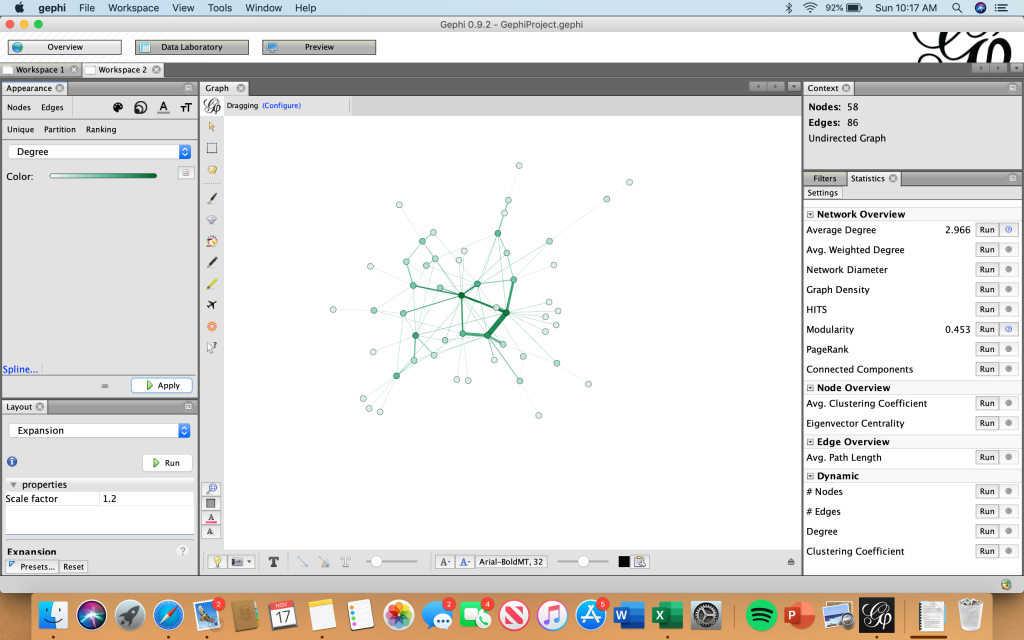
Then, I imported the edge table into Gephi and was able to use the tools on the platform to reveal statistical calculations and illustrate the relationships between the nodes. I used the “Modularity” algorithm to detect communities. I then filtered by the degree range 8-13. After completing this step, I was able to relate to Graham’s point that “although node and edge lists require more initial setup, they pay off in the end for their ease of data entry and flexibility” (Graham 244).

Modularity (unfiltered)
Modularity (filtered by degree)

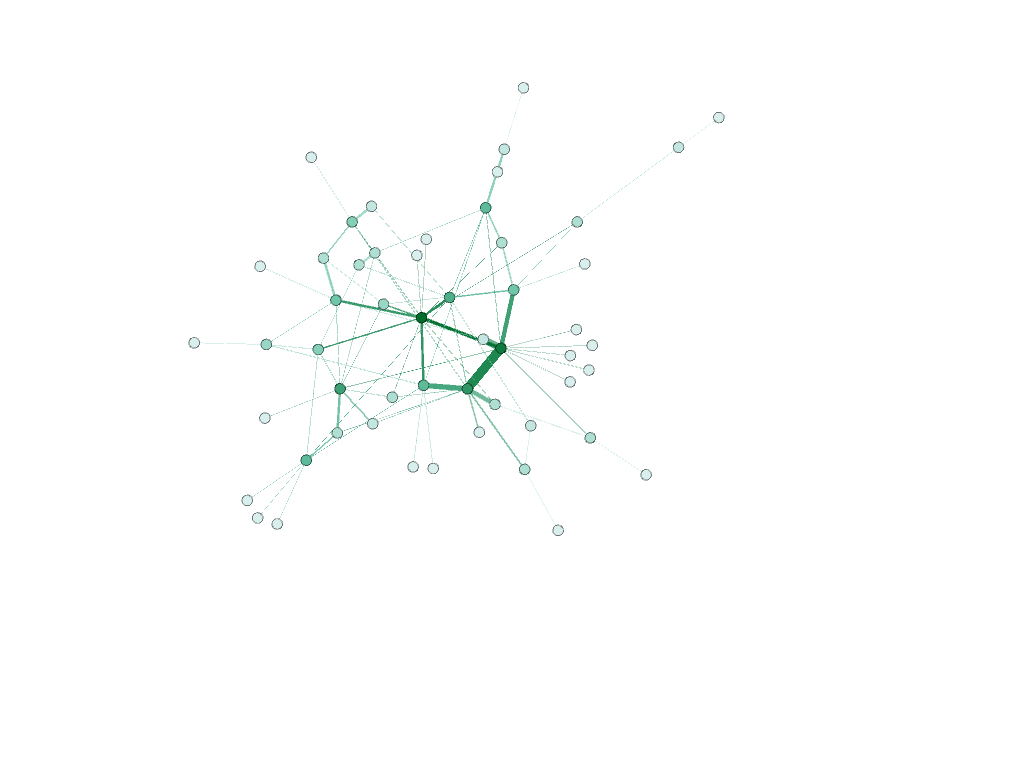
I then changed the size of the nodes based on “degree” using the “average degree” calculation.

Unfiltered Degree

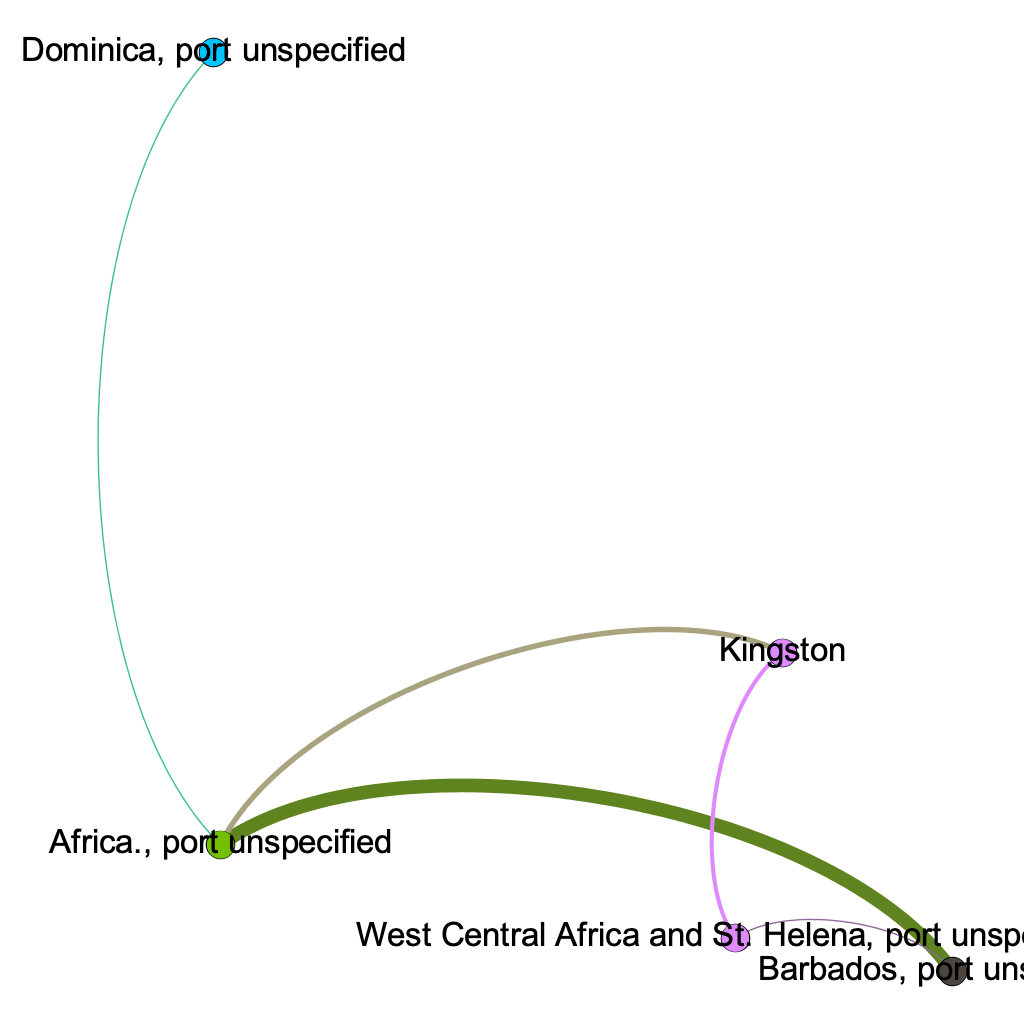
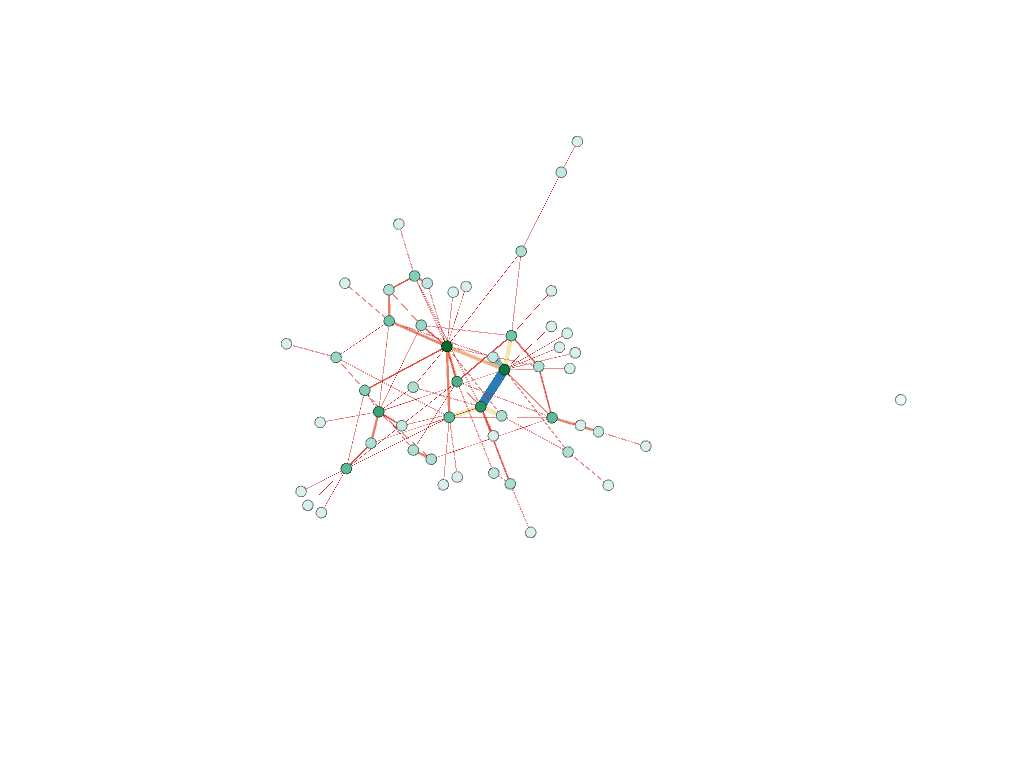
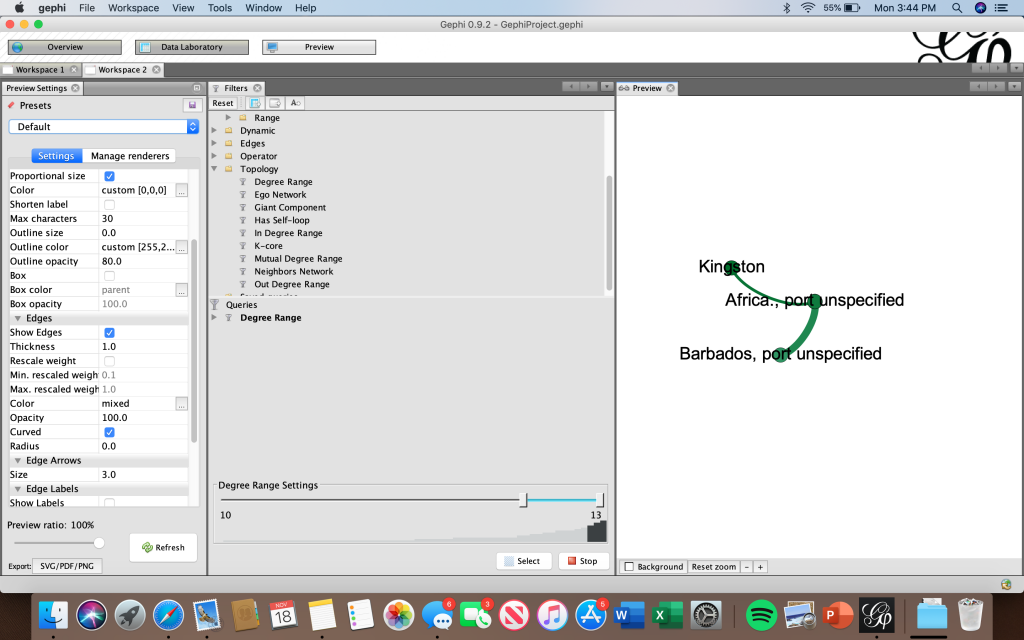
These models below show the results of both the modularity and degree calculations. The bottom screenshot illustrates how I filtered degree range to 10-13 to only show the nodes with the highest degree. These nodes were Kingston, Barbados, and Africa (port unspecified).

Gephi not only allowed me to visually see what ports were most visited by the Mary individually, but also let me see what voyages were most common. I was able to see the frequency of these voyages based off the weight of the edges. Through these visualizations, I was able to draw meaning out of the relation between the graphical representations. Like Lima explained, “network visualization is also the cartography of the indiscernible, depicting intangible structures that are invisible and undetectable to the human eye” (Lima 80). The visualizations created in Gephi gave me the ability to draw conclusions and see similarities/differences within the data set that I was unable to see in a typical spreadsheet format. Not only did I learn that where a node is in relation to other nodes mattered, but that the weight of the edge between them is also significant. The specific formatting of this visualization is that of a “rhizomatic relationship” where we do not know beginning or end (Lima 44). I was able to see certain patterns that I may not have noticed prior that I can further dive into.