For my 5th assignment, I decided to use Gephi to graph my own dataset, flights in the US. The data originated from the index of complex networks from the University of Colorado. A list of airports and flight information, to the naked eye, is overwhelming. With thousands of lines of information about millions of flights, making sense of the information in that form is challenging. This is why Lima says that network visualizations can be a “visual decoder of complexity” (Lima 80). It allows you to immediately distinguish some “central players”(Graham 234) in the network, or in this case some of the busiest airports.
Initially, I put all the airports in the database on the map and decided that provided a visualization that was far too hairball-ish for my tastes, so I revised it.
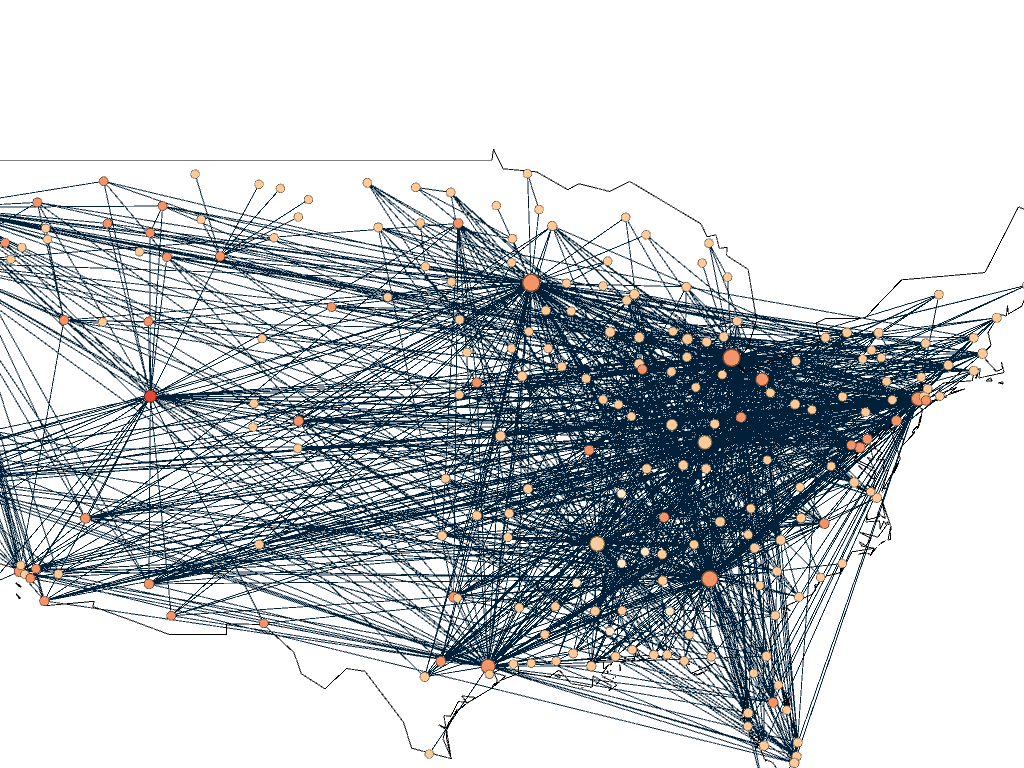
I needed some form of what Lima would call “classification” which “applies the hierarchical model to show our desire for order symmetry and regularity.”(Lima 25) I decided to filter to the five busiest airports and plot all the flights coming out of those airports, and their final destinations, or in other words, classify by degree. I did this in Excel, because I wanted to be able to render the final image in the preview window rather than taking screenshots. After doing this, I discovered little to no improvement by cutting down to five airports, as can be seen below. To determine which airports I should include, I used a counting function in excel to determine how many connections each node had, and then cut out all the nodes that did not connect to those five.
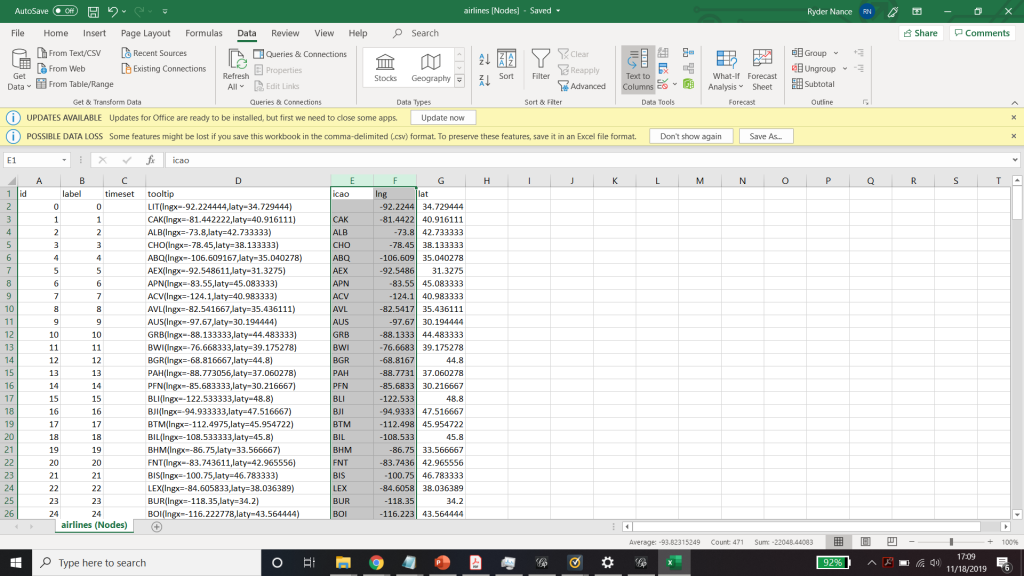
Excel spreadsheet used to calculate number of connections to each airport. 
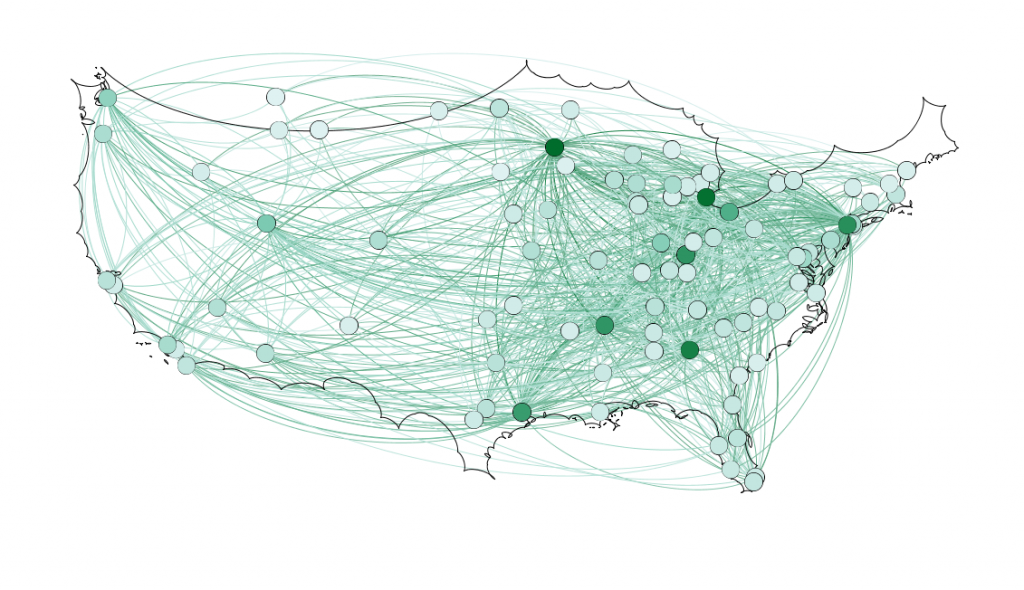
Because 5 was still too broad, I decided to filter down to 3, and I also had to condense some of the large airports that I wanted to show in order to be able to display them all. For example, I condensed the 3 DC airports (DCA, BWI, and IDW) into one location, to avoid clutter. These airports are so close together anyway, that they fall under the same ATC system (the DC SFRA to be exact) and require the same clearance. The same is true of the major 3 airports around New York City. I again utilized Excel to do this, as its text processing commands are powerful and relatively easy to use. Also, I again had issues getting the filters to work in Gephi. Additionally, the filters did not seem to be compatible with the mapping plugin for Gephi. If you used any kind of filter, the map disappeared.
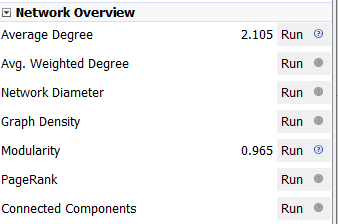
Next I calculated the modularity and degree for the network. I used the built-in statistical tool in Gephi to make these calculations, and determined that the average degree was 2.05, and the modularity was 0.965. The modularity has a relatively medium value because, although there are many connections between the high-degree nodes, there are also many nodes with a degree of one. As Graham says “Modularity is successful when there’s a high ratio of edges connecting nodes within any given community compared to edges linking out to other communities.”(Graham 229) In this case, the edges linking to other communities are flights to smaller airports, while the links within the community are to the high-degree airports, Chicago, New York, Florida, Seattle, and Dallas.
To display the map, I used the “map of countries” plugin for Gephi. In order to make it functional, I went through and provided the latitude and longitude of each airport in question.
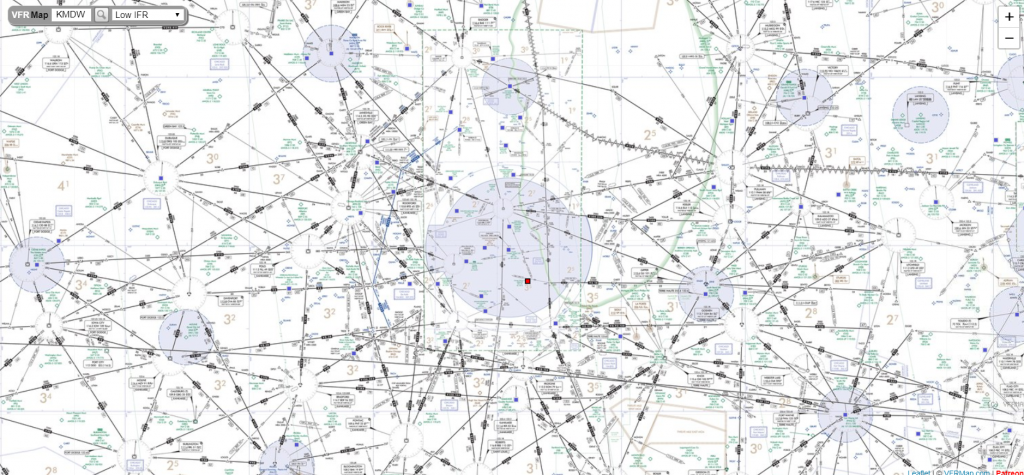
One of the most interesting realizations from this data, for me, was the placement of the routes vs the Victor Airway map. In the US, commercial and general aviation traffic follow what are called Victor airways (which are essentially highways in the sky). They are directed between airports and radio navigation fixes. The map that I created very closely resembles this. For reference, I have included a screenshot of a small portion of the Victor Airway map, just the portion centered around Chicago Midway airport (KMDW). The full map is far too complex to be visible in a screenshot. The black lines are the airways and the blue circles are the class B and C airspaces around the airports.
Finally, as for my opinion of Gephi, it was not my favorite tool to work with. As with many of the other open source tools that we used, frequent bugs and issues with a distinct lack of documentation were frustrating. Additionally, I found the included coulour pallet used was lacking, and was not as easy as tableau to change. However, when it worked, Gephi was easy to interact with in order to arrange the nodes in a way that looked good. I was never able to get the Data Laboratory panel to work, so I was unable to assess its helpfulness. However, despite the Data Lab not working, it was easy to import new spreadsheets so when I needed to make a change I would just change it in Excel and then re-import it. Gephi was not as easy for the coordinate driven data, as it was not originally designed to work with map data. The plugin worked, but required a great deal of “data plumbing” behind the scenes to get it functional.
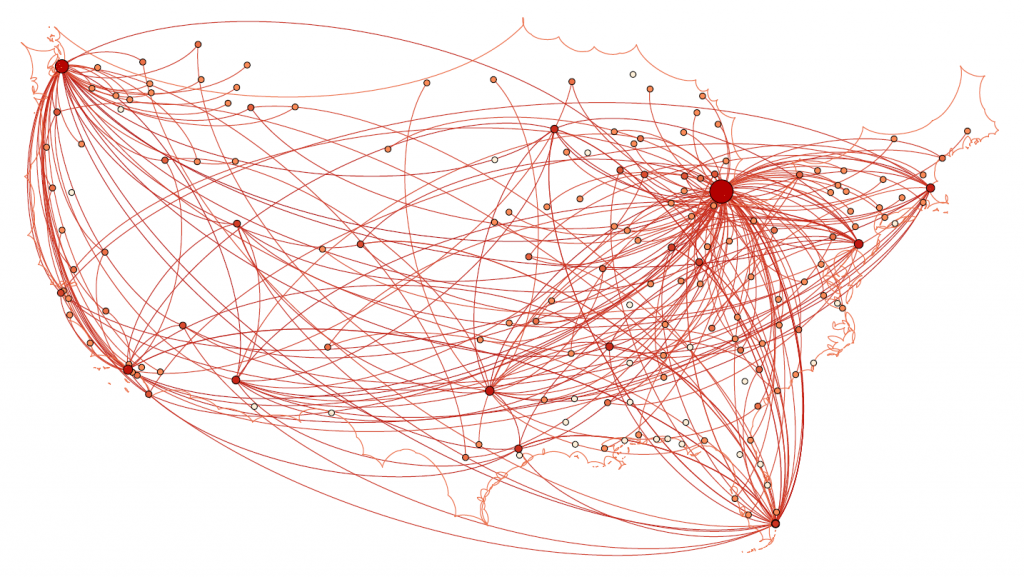
Unfortunately, after many hours of toying, I was unable to get the preview tool to work properly and had to revert to using the snipping tool to get screenshots of the visualization in the overview tab which can be seen above.
